
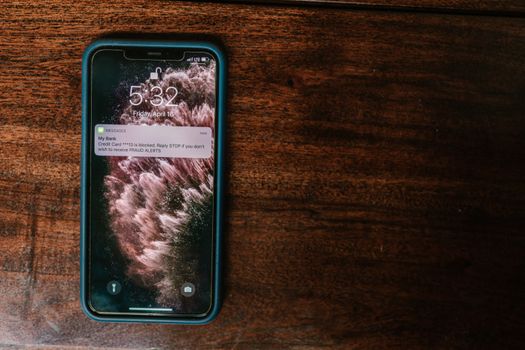
Have you noticed how notifications pop up on your screen relentlessly? Between messages, alerts, and reminders, your routine becomes a game of recurring distractions.
The feeling that everything demands immediate attention wears down the mind and makes it difficult to stay focused on important tasks. Knowing how to filter digital stimuli is a skill that makes all the difference.
This article shows practical strategies for easily managing notifications, reducing interruptions, and achieving lighter days. Take advantage of the tips and discover personalized alternatives for your routine.
Define Clear Rules for Each Type of Notification
You can reduce distractions by creating specific rules for each app or service. This way, your attention is better protected in your daily life.
Start by analyzing which notifications actually help and which ones only interrupt your train of thought. Prioritize what enhances your productivity and block the rest.
Rate Messages by Actual Priority
Some notifications, such as work messages with deadlines, require a quick response. Others, like promotions or games, don't need to appear all the time.
By identifying the priority level of each app, you reduce distractions and maintain focus on what is valuable. Checking notifications only at planned times strengthens this habit.
If you notice anxiety when seeing alerts, stop, breathe, and ask yourself: "Does this need an answer now, or can it wait?" Adopting this filter changes your relationship with digital technology.
Reduce Social Media Alerts
Social media notifications aim to grab your attention with every like or comment. Consider disabling real-time alerts and setting aside specific times to check them.
By muting irrelevant group chats, you prevent interruptions that drain your concentration. Only enable notifications on essential channels.
Show your colleagues and friends that your response isn't immediate. Say, for example, "I'm in concentration mode and will return after 4 PM."
| Application | Notification Type | Recommended Action | Practical Benefit |
|---|---|---|---|
| All | Disable push, check in time blocks. | Reduces anxiety and increases control. | |
| Social media | Interactions | Disable pop-ups and sounds. | Avoid wasting time on distractions. |
| Agenda/Calendar | Reminders | Keep only alerts for important appointments. | Ensures punctuality without exaggeration. |
| Messengers | Groups | Mute non-essential groups | It protects your focus throughout the day. |
| Games/Promotions | Advertisements | Turn off all alerts. | Avoid unnecessary distractions. |
Personalize Settings on All Devices
By customizing notifications, each device ceases to be a constant source of noise. Adjusting settings quickly strengthens your digital autonomy.
Make frequent revisions to adapt preferences as new demands arise. This precaution prevents old applications from becoming an unnecessary nuisance again.
Organize Alerts on your Smartphone
In the notification settings menu, disable everything that isn't essential. Leave distinct sounds only for urgent calls or close family members.
Separate alerts by category: work, leisure, emergency. Put work groups on silent mode outside of work hours and agree on boundaries with colleagues.
- Disable vibration for leisure apps: eliminates unnecessary startle and allows for focus.
- Use "Do Not Disturb" in meetings and study sessions: it avoids automatic interruptions at critical moments.
- Limit pop-up notifications: prevents visual distraction when using other apps.
- Adjust the frequency of weather alerts: allows you to monitor the forecast without receiving excessive warnings.
- Enable alerts only for favorites: focus notifications on what really matters to you.
Strengthen your control by periodically reviewing what's enabled. Use Sunday evening to do a general check of the preferences on all your devices.
Focus on Computer Notifications
Computers with modern operating systems allow you to configure notifications per application. Keep only programs essential for work or studies enabled.
Set up silent visual alerts to prioritize tasks that require concentration. Use shortcuts like "Alt + Tab" to switch between apps without losing focus.
- Disable “Toast” notifications from social networks: blocks interruptions when typing long projects.
- Use productivity apps with grouped notifications: centralize alerts and know when to check them without missing deadlines.
- Set up quiet hours: block pop-ups between 9 PM and 7 AM, ensuring your nighttime break.
- Review apps that automatically update: reduce system alerts that throw you off track.
- Activate badges only on important emails: just the number of new messages, no sounds or banners.
Adopt a simple mantra: "If it doesn't increase my productivity, it doesn't ring." Repeat this review once every two months.
Create Routines for Checking Notifications
Setting specific times to view notifications reduces anxiety and reinforces your digital discipline. You gain more time to dedicate to important daily tasks.
View notifications in three time blocks: morning, after lunch, and end of the workday. This reduces the chance of being surprised by out-of-context alerts.
Implement Fixed Consultation Hours
Tell yourself: "Not now, I'll only check my notifications at 9 AM, 2 PM, and 6 PM." Then, stick to that plan and communicate it to those who usually contact you outside of those hours.
If possible, create an automatic message in the apps you use most: "I respond to notifications at regular intervals throughout the day." This sets expectations and reduces urgent requests.
Gradually, your social and professional circle will adjust to the new routine, respecting your limits and improving your productivity.
Relate Routine to Mental Health
Simple analogies help: taking care of your smartphone is like not opening the refrigerator every minute. The impulse of curiosity only makes a mess if there are no clear limits.
By maintaining a routine for checking notifications, the brain relaxes knowing that it's not at risk of missing something essential — and you avoid unnecessary overload.
Gradually, creating this habit strengthens the feeling of control, brings well-being, and improves your relationship with technology in your daily life.
Adjust Alerts for Personal and Professional Priorities
You direct your energy toward what's a priority by choosing which notifications appear. This allows you to clearly separate what's urgent from what can wait.
Create custom categories, such as: family, work, health, and leisure. Keep only the alerts that directly impact your routine or require a quick response.
Adapt Notifications for Specific Appointments
Find a balance to avoid extremes: don't silence everything, but don't keep active anything that doesn't add value. Only activate alerts for crucial appointments or scheduled meetings.
Schedule recurring alerts during business hours: "Check messages between 1 PM and 1:30 PM." Explain this to colleagues to align expectations and create an environment of mutual respect.
Reorganize your priorities frequently. What's essential one month may no longer be the next. Don't hesitate to change notifications as life evolves.
Filter Non-Priority Messages
Use automatic filtering features in emails or messaging apps. For example, move promotions to a separate tab and leave only urgent messages visible at the moment.
Think of it this way: if you don't need to act immediately, that notification can remain hidden. This reduces stress and keeps your focus on what's most important to you.
Write this down: "I'll handle personal matters after work hours." This way, you honor your free time and reduce unwanted interruptions to your rest.
Make regular reviews of preferences and limits.
Reviewing notifications is like organizing drawers overflowing with papers. Conducting monthly reviews prevents overload and keeps your choices aligned with current needs.
Select a fixed day of the month to assess whether any new service is causing more trouble than it's helping. Make quick adjustments and get back to your balanced digital routine.
Monthly Review Checklist
Set aside thirty minutes every first Sunday, for example, to review your notification preferences across all devices used during the week.
Keep a notepad for each app you review. Write down what needs to be modified, what has been disabled, and what has become truly useful in your daily life.
Use a discreet alarm to remind you of this monthly task. Automation is a friend of efficient digital organization and prevents distractions from accumulating again.
Find comfort in small victories and gradual adjustments.
Realizing the benefits of managing notifications requires patience and consistency. Every adjustment, no matter how small, increases your free time and improves your concentration.
Value daily achievements: resisting the urge to look at your screen as soon as you wake up, spending a morning without alerts, or ignoring promotions. Small victories build lasting habits.
In conclusion: Adopt the daily habit of managing notifications.
Managing notifications is an ongoing process, not an immediate solution. By creating rules and reviewing choices, digital control translates into real peace of mind in daily life.
Adjusting alerts, adapting schedules, and reviewing priorities make each interaction with technology more conscious. This reduces anxiety and strengthens well-being in the medium term.
Gradually, interruptions will decrease and you'll gain more control over your routine. The secret lies in making simple adjustments, respecting your own pace and limits. Try these ideas today.


